Windows Enterprise Subscription Activation issues
Introduction
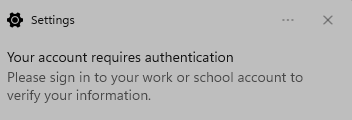
The issue happens when Windows has problems upgrading from Windows 11 Pro to Enterprise. Users will see the following pop up notifiction when signing into Windows “Your account requires attention. Please sign into your work or school account to verify your information”.
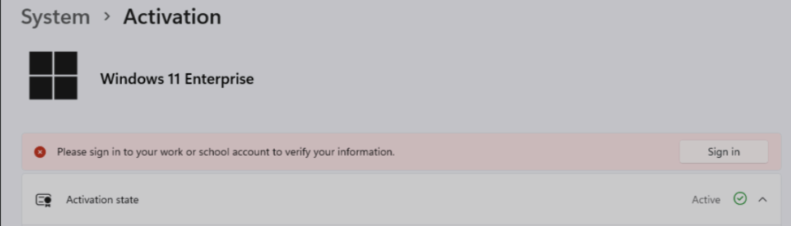
When you click on the notification, it takes you to Windows Activation and asks you to sign in to verify your information.
Windows activation issues
The problem is that the activation process needs to create registry key
HKLM\SOFTWARE\Microsoft\Windows\CurrentVersion\MfaRequiedInClipRenew
Since this registry key is under HKLM, you need administrative privileges to complete this change. If you are using a standard user account, the process will fail and you will continue to see the above pop-up everytime you sign into Windows.
How to complete activation
Microsoft has released update KB5040527 which addresses this issue. However, some users have reported that they are still facing issues even after installing the update. You can also try the ‘Revoke Sessions’ option in Microsoft Entra if you still have issues after the KB update.
Another quick fix is to temporarily add your account to local administrators group.
Add-LocalGroupMembers -Group Administrator -Member AzureAD\JohnDoe
Once you complete the activation process you will no longer see the persistent pop up when signging into Windows.